
Switch Connection URL
You can use the Switch Connection URL feature in case you want to switch the connection URL between two databases. This is useful for disaster recovery for example, you can use this feature to switch the connection URL between the cloned and the origin DB. It can be accessed from the Management Launcher drop-down menu.

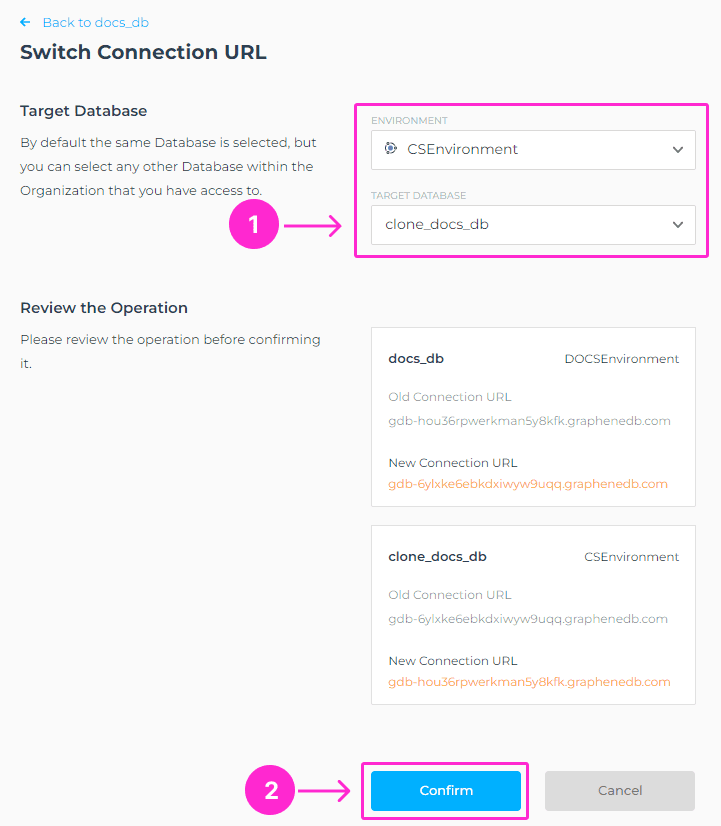
The modal window will show you the operation that you’re about to perform. Please select the Environment where the Target Database is placed and select Target Database. Click on Confirm button to proceed.
This operation involves downtime for both databases until the changes are applied and propagated.