

AI assistants can already read your code, run your tests, and open a pull request. But ask one about your database, and until now it had to guess — no way to check metrics, no way to see what a query is actually doing, no way to know whether last night’s deploy is why things feel slow today. Every question meant switching over to the Console yourself, digging through metrics, logs, and activity feeds, and cross-checking all of it by hand to piece together what was actually going on.
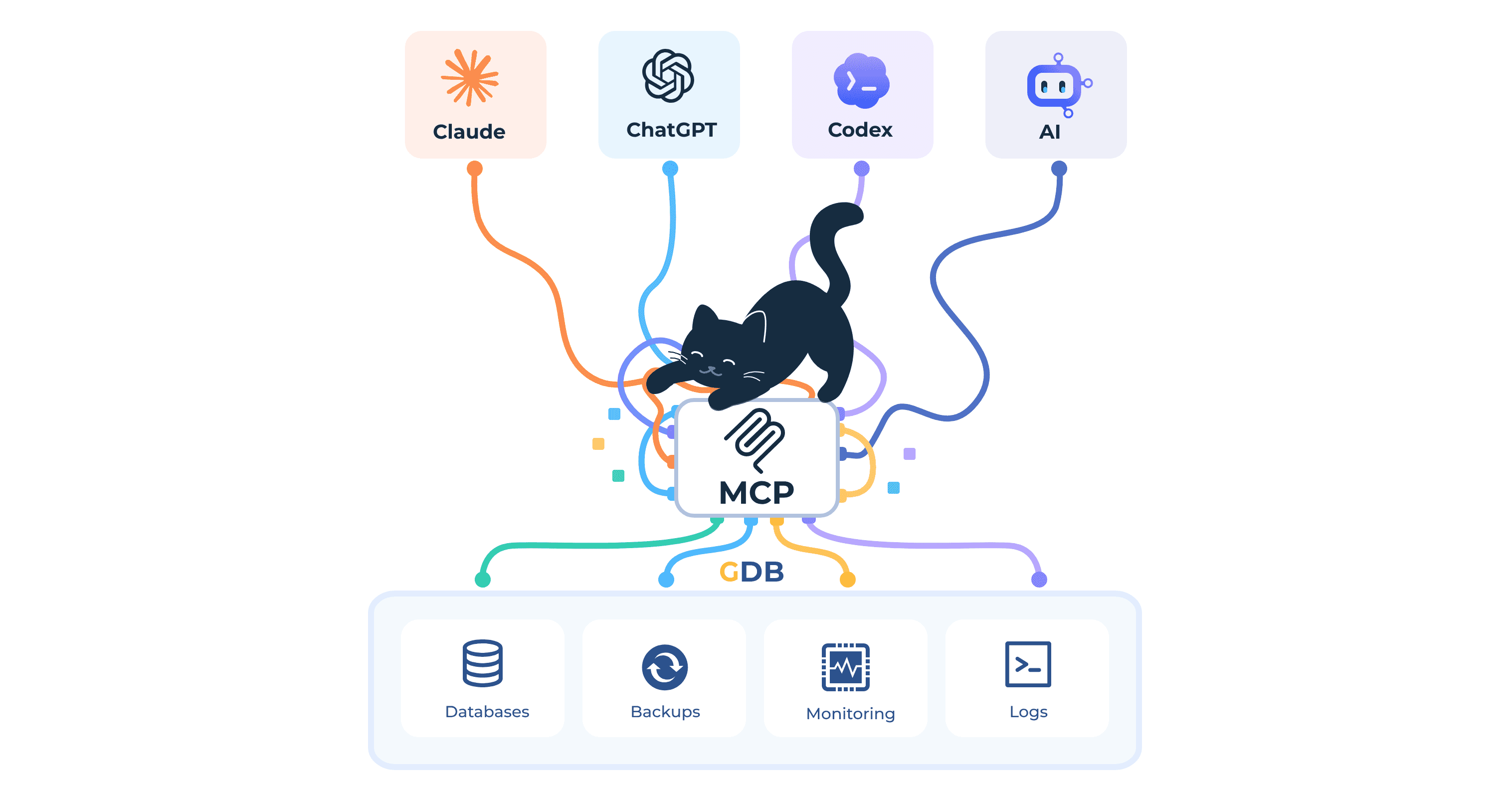
Today we’re excited to introduce the GrapheneDB MCP Server.
MCP (Model Context Protocol) is an open standard for connecting AI assistants to external tools. Our server implements it so any MCP-compatible client — Claude, Codex, Cursor, and others — can act on your GrapheneDB account directly, right from a chat or coding session.
Metrics and logs, in plain language
Ask about a database the way you’d ask a teammate. CPU and memory metrics, deployment logs, query logs, and account-wide activity history are all available as tools your assistant can call directly — no dashboard to open first.
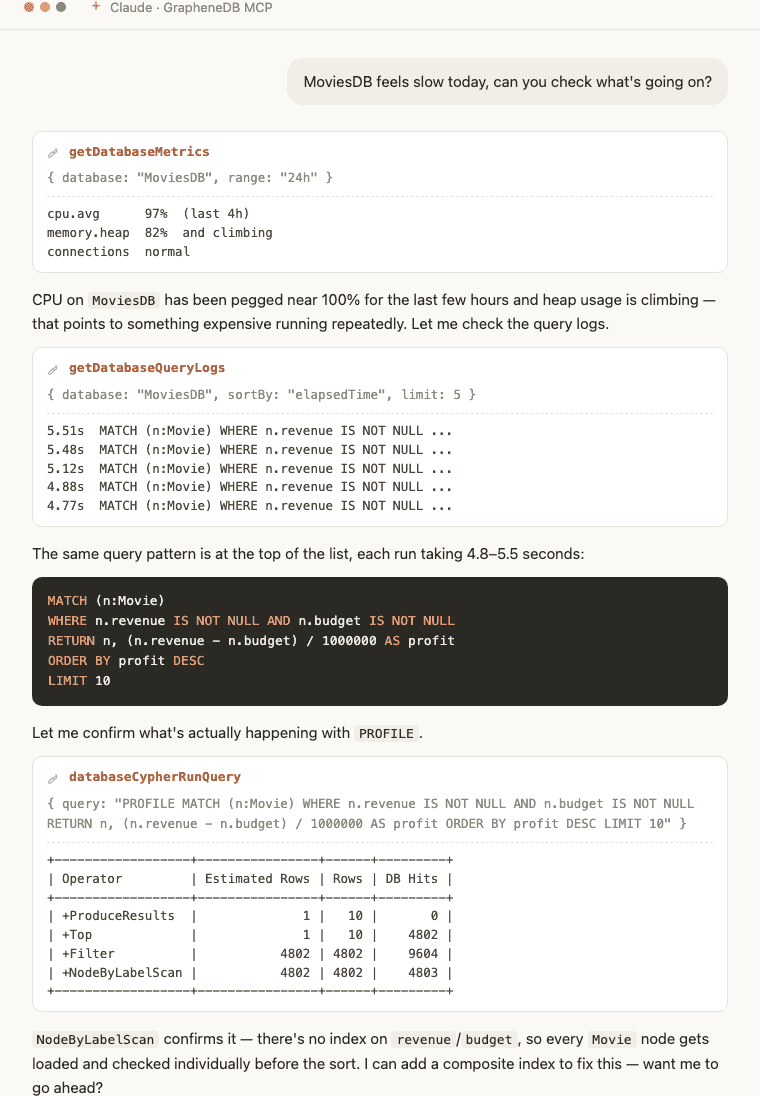
Describe the symptom, and your assistant pulls the right metrics and logs to confirm what’s actually going on — often before you’d have finished opening the right tab yourself.
Run Cypher queries, safely
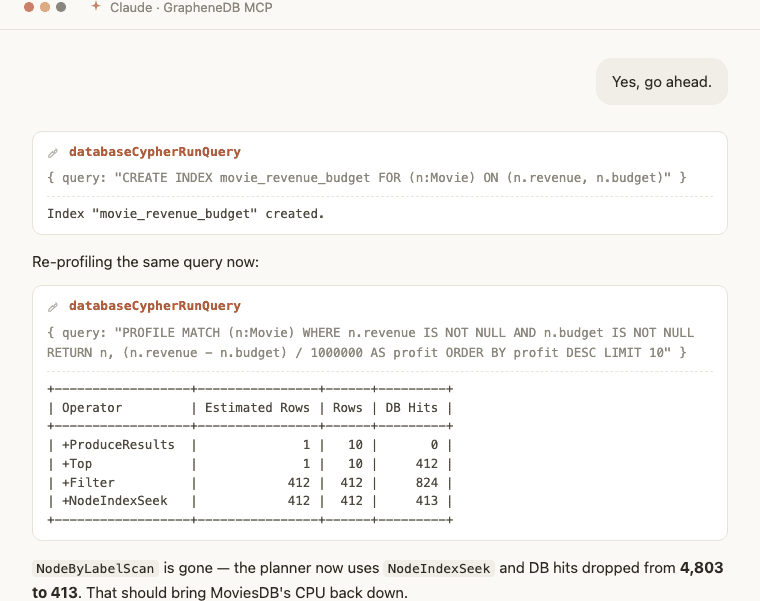
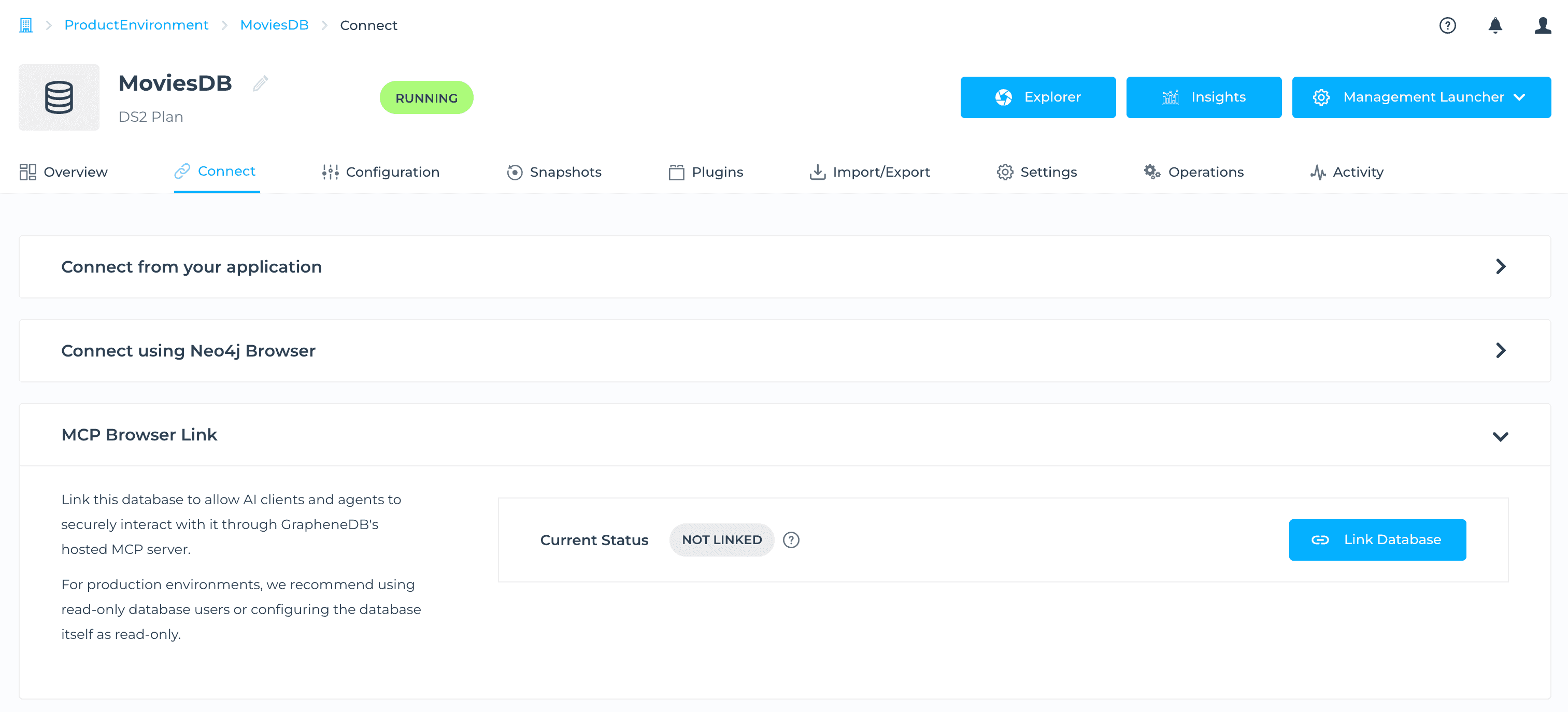
Link a database once from its Connect page in the Console, and your assistant can run Cypher directly against it — including PROFILE, to see exactly how a query executes before you act on its suggestions.
GrapheneDB never stores your database credentials. The link only lasts as long as the Console tab stays open, and you can revoke it at any time from the same MCP Browser Link panel used to create it.
Available now
The GrapheneDB MCP Server is a remote server reachable over HTTP — nothing to install. Point any MCP-compatible client at https://console.graphenedb.com/mcp and sign in with your GrapheneDB account.
You can read the full setup guide, including client-specific steps for Claude, Codex, and Cursor, in the MCP Server docs.
If you have feedback or questions, we’d love to hear from you.